
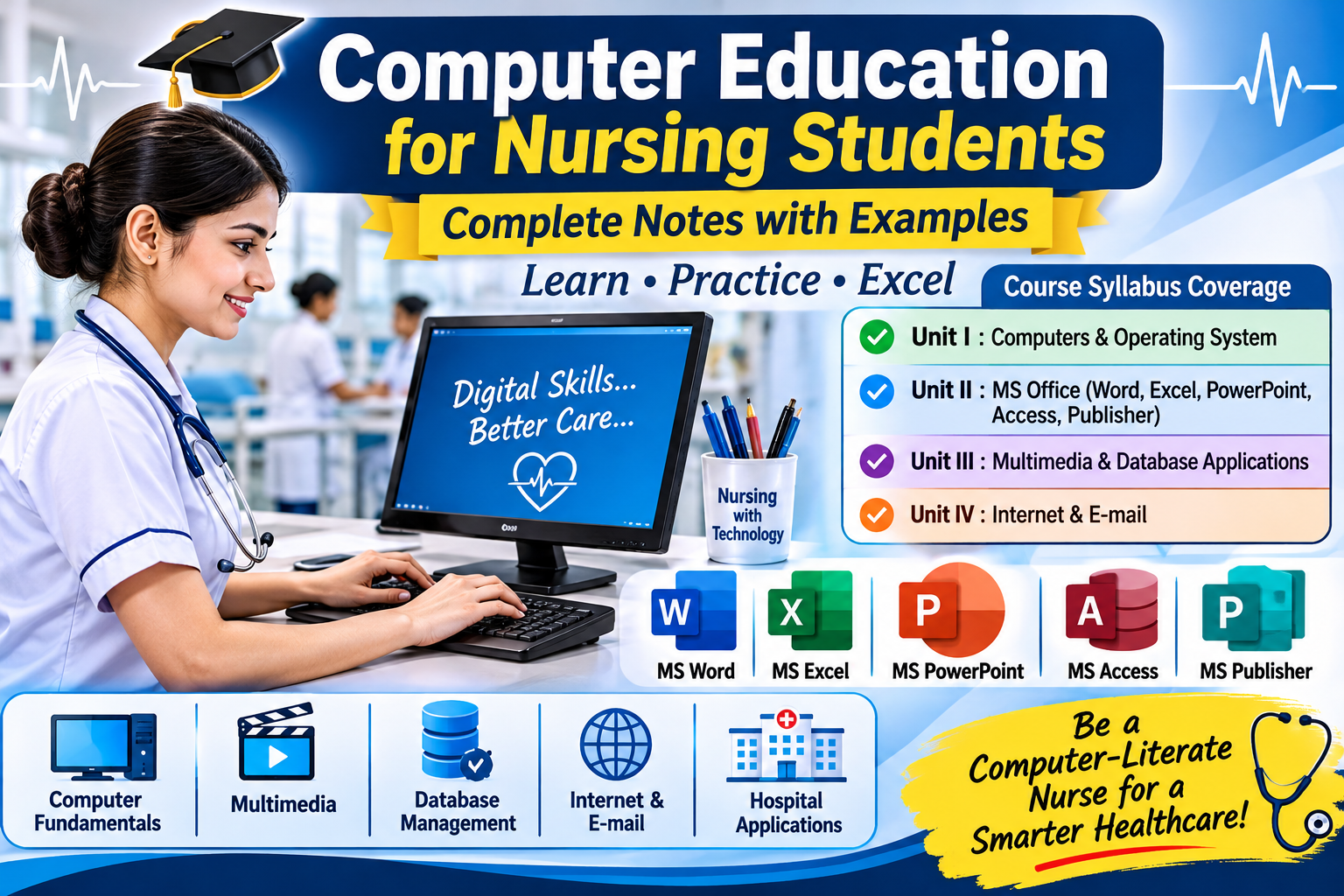
A Comprehensive Guide to Basic Computer Knowledge, MS Office, Multimedia, Database Management, Internet and E-mail for First-Year Nursing Students
Introduction
Computers have become an essential part of modern healthcare. Today, hospitals use computers for patient registration, maintaining medical records, preparing nursing reports, monitoring patients, managing medicines, laboratory investigations, billing and communication between healthcare professionals.
Nurses are not only responsible for providing direct patient care but also for maintaining accurate patient information and documenting every important nursing activity. Computer knowledge helps nurses perform these responsibilities more efficiently, accurately and professionally.
For example:
- A nurse uses a computer to enter a patient’s vital signs.
- A nursing officer prepares a duty roster using MS Excel.
- A nurse prepares a health education presentation using MS PowerPoint.
- A Medical Record Department maintains electronic patient records.
- A nurse accesses medical guidelines and research articles through the internet.
- Healthcare professionals communicate through official e-mail.
Therefore, computer education is an important subject for nursing students.
This chapter explains the fundamentals of computer education in simple language, with practical examples from hospitals and nursing practice.
UNIT I: INTRODUCTION TO COMPUTERS AND DISK OPERATING SYSTEM
1. What is a Computer?
A computer is an electronic device that accepts data as input, processes the data according to instructions, stores information and produces meaningful results as output.
In simple words, a computer helps us enter information, calculate, organize, save and retrieve data quickly.
Example in nursing:
Suppose a nurse enters the following information into a hospital computer:
- Patient Name: Rahul Sharma
- Age: 45 years
- Blood Pressure: 140/90 mmHg
- Pulse Rate: 88 beats/minute
- Temperature: 99°F
The computer processes and stores this information so that authorized healthcare professionals can access it when required.

Basic Working Process of a Computer
A computer works through four major steps:
- Input – Entering data into the computer.
- Processing – Processing the entered data.
- Output – Displaying the processed information.
- Storage – Saving information for future use.
Example:
A nurse enters the daily patient temperature readings into Excel. Excel calculates the average temperature and displays the result.
2. Characteristics of a Computer
Computers have several important characteristics:
A. Speed
Computers perform calculations and process large amounts of data within seconds.
Example: A hospital can generate a monthly OPD report for thousands of patients quickly.
B. Accuracy
Computers can produce highly accurate results when correct information and instructions are provided.
Example: Excel can calculate the percentage of patients with hypertension in a hospital.
C. Storage Capacity
Computers can store a large amount of information, including patient details, reports, images and documents.
Example: An electronic medical record system stores patient admission details and discharge summaries.
D. Diligence
Computers can perform repetitive tasks continuously without becoming tired.
Example: A computer can generate daily patient admission reports repeatedly.
E. Versatility
Computers can perform different types of tasks.
Example: A nurse can prepare documents, calculate medicine stock, create presentations and communicate through e-mail.
F. Automation
Computers can automatically perform tasks according to predefined instructions.
Example: Hospital software can automatically generate patient bills based on entered services.
3. Classification of Computers
Computers can be classified according to their size, processing capacity and purpose.
A. Supercomputer
Supercomputers are extremely powerful computers used for complex calculations and scientific research.
Examples:
- Weather forecasting
- Advanced medical research
- Molecular modelling
- Medical imaging research
B. Mainframe Computer
Mainframe computers are designed to process large amounts of data and support many users simultaneously.
Example: Large hospital networks and healthcare organizations may use mainframe systems for centralized data processing.
C. Minicomputer
Minicomputers are medium-sized computers traditionally used by organizations for departmental processing.
D. Microcomputer
Microcomputers are small computers generally designed for individual use.
Examples:
- Desktop computers
- Laptop computers
- Tablets
- Personal computers
Nursing application: Nurses commonly use desktops and laptops for documentation, patient monitoring and hospital information systems.
4. Parts of a Computer
A computer consists of several hardware components.
A. Monitor
The monitor is an output device that displays information in visual form.
Example: A nurse views a patient’s laboratory report on the monitor.
B. CPU (Central Processing Unit)
The CPU is commonly called the brain of the computer because it processes instructions and controls computer operations.
Its major components include:
- Arithmetic Logic Unit (ALU): Performs mathematical and logical operations.
- Control Unit (CU): Controls and coordinates computer activities.
- Registers: Provide temporary storage for data and instructions during processing.
C. Keyboard
A keyboard is an input device used to enter letters, numbers and commands.
Common keys:
| Key | Function |
|---|---|
| Enter | Confirms a command or moves to the next line |
| Spacebar | Provides space between words |
| Backspace | Deletes the character to the left |
| Delete | Deletes selected text or the character to the right |
| Shift | Types capital letters or upper symbols |
| Caps Lock | Enables capital letters |
| Ctrl | Used with other keys for shortcuts |
| Esc | Cancels or exits certain operations |
D. Mouse
A mouse is a pointing device used to select, open, move and control items on the screen.
Common mouse operations:
- Single click
- Double click
- Right click
- Drag and drop
- Scroll
E. Printer
A printer produces a hard copy of electronic information.
Example: Printing patient discharge summaries and nursing reports.
F. Scanner
A scanner converts printed documents and photographs into digital images.
Example: Scanning a patient’s previous medical reports and uploading them to the hospital information system.
G. Storage Devices
Storage devices are used to save digital information.
Examples:
- Hard Disk Drive (HDD)
- Solid State Drive (SSD)
- Pen Drive
- Memory Card
- CD/DVD
5. Hardware and Software
Hardware
Hardware refers to the physical parts of a computer that can be seen and touched.
Examples:
- Monitor
- Keyboard
- Mouse
- CPU
- Printer
- Scanner
Software
Software refers to the programs and instructions that tell a computer what to do.
Examples:
- Microsoft Windows
- Microsoft Word
- Microsoft Excel
- Microsoft PowerPoint
- Hospital Management Software
Difference between hardware and software
| Hardware | Software |
|---|---|
| Physical components | Programs and instructions |
| Can be touched | Cannot be physically touched |
| Example: Keyboard | Example: MS Word |
| Requires software to perform useful tasks | Requires hardware to run |
6. Operating System
An Operating System (OS) is system software that manages computer hardware, software resources and user activities.
It provides an interface between the user and the computer.
Functions of an Operating System
- Manages files and folders.
- Controls hardware devices.
- Manages computer memory.
- Runs application programs.
- Provides security and user accounts.
- Manages input and output devices.
- Controls multitasking.
Examples of Operating Systems
- Microsoft Windows
- Linux
- macOS
- Android
- iOS
DOS (Disk Operating System)
DOS is a command-line operating system. Users interact with it by typing commands.
Some important DOS commands:
| Command | Function |
|---|---|
| DIR | Displays files and folders |
| CD | Changes directory |
| MD | Creates a directory |
| RD | Removes a directory |
| COPY | Copies files |
| DEL | Deletes files |
| CLS | Clears the screen |
| EXIT | Exits the command interface |
Windows Operating System
Windows is a graphical operating system developed by Microsoft.
It allows users to interact with computers through icons, menus, windows and a mouse.
Important features:
1. Desktop: The main screen displayed after logging in.
2. Icons: Small graphical symbols representing programs, files or folders.
3. Start Menu: Provides access to applications, settings and other computer functions.
4. Taskbar: Displays open applications and frequently used programs.
5. File Explorer: Helps users manage files and folders.
6. Recycle Bin: Temporarily stores deleted files before permanent removal.
Important Windows Keyboard Shortcuts
| Shortcut | Function |
|---|---|
| Ctrl + C | Copy |
| Ctrl + V | Paste |
| Ctrl + X | Cut |
| Ctrl + Z | Undo |
| Ctrl + S | Save |
| Ctrl + A | Select all |
| Ctrl + P | |
| Alt + Tab | Switch between open applications |
| Windows + E | Open File Explorer |
| Windows + D | Show desktop |
7. Uses of Computers in Healthcare Delivery
Computers play a major role in modern healthcare services.
A. Patient Registration
Computers are used to register patients and generate unique hospital identification numbers.
B. Electronic Medical Records (EMR)
Electronic Medical Records contain digital patient information such as:
- Patient demographics
- Medical history
- Diagnosis
- Investigation reports
- Treatment details
- Medication history
- Discharge summaries
C. Nursing Documentation
Nurses use computers to document:
- Vital signs
- Nursing assessment
- Medication administration
- Intake and output
- Nursing care plans
- Patient progress notes
D. Laboratory Services
Computers help manage laboratory investigations, generate reports and communicate results.
E. Radiology Services
Digital systems help store and retrieve X-rays, CT scans, MRI images and other radiological investigations.
F. Pharmacy Management
Computers help manage medicine stock, prescriptions, expiry dates and medicine dispensing records.
G. Hospital Administration
Computers are used for:
- OPD and IPD statistics
- Bed occupancy reports
- Patient billing
- Staff duty rosters
- Quality indicators
- Hospital audits
H. Patient Safety
Computerized systems can help identify medication allergies, drug interactions and other potential risks through appropriate clinical alerts.
Important: Computer-generated information must always be verified by qualified healthcare professionals. Technology supports clinical judgment but does not replace it.
UNIT II: MICROSOFT OFFICE (MS OFFICE)
Microsoft Office is a collection of productivity applications used to prepare documents, calculate data, create presentations and manage information.
Important applications include:
- MS Word
- MS Excel
- MS PowerPoint
- MS Access
- MS Publisher
These applications are useful in nursing education, clinical practice, hospital administration and research.
1. Microsoft Word
What is MS Word?
Microsoft Word is a word-processing application used to create, edit, format, save and print documents.
It is commonly used for preparing letters, reports, assignments, notices, patient education materials and hospital documents.
Uses of MS Word in Nursing
- Preparing nursing assignments.
- Writing nursing care plans.
- Preparing patient education leaflets.
- Creating hospital policies and procedures.
- Preparing meeting minutes.
- Writing clinical reports.
- Preparing research projects.
- Creating notices and circulars.
Important Features of MS Word
A. Creating a New Document
Steps:
- Open Microsoft Word.
- Click File.
- Select New.
- Choose Blank Document.
- Start typing.
B. Text Formatting
Text formatting improves the appearance and readability of a document.
Important options:
- Bold: Makes text darker.
- Italic: Makes text slanted.
- Underline: Adds a line below text.
- Font Size: Changes text size.
- Font Color: Changes text colour.
- Alignment: Positions text on the page.
C. Paragraph Alignment
There are four major alignment options:
- Left Alignment
- Center Alignment
- Right Alignment
- Justify Alignment
Example: A nursing assignment title may be center-aligned, while the main content is left-aligned or justified.
D. Bullets and Numbering
Used to organize information into lists.
Example:
Steps of hand hygiene:
- Wet hands.
- Apply soap.
- Rub all hand surfaces.
- Rinse properly.
- Dry hands.
E. Inserting Tables
Tables help organize information into rows and columns.
Example:
| Patient Name | BP | Pulse | Temperature |
|---|---|---|---|
| Rahul | 120/80 | 78 | 98.6°F |
| Amit | 130/90 | 84 | 99°F |
| Neha | 110/70 | 76 | 98.4°F |
F. Inserting Pictures
Pictures can be added to explain nursing procedures, anatomy, health education and infection prevention.
G. Header and Footer
A header appears at the top of a page, while a footer appears at the bottom.
They can contain:
- Hospital name
- Department name
- Document title
- Page number
- Date
H. Page Numbering
Page numbers help organize lengthy documents and reports.
I. Spell Check and Grammar
Word helps identify spelling and grammar errors, improving document quality.
J. Mail Merge
Mail Merge is used to create multiple personalized documents using a common format and a data source.
Example: A hospital can prepare individual appointment letters for multiple employees using one standard letter format.
Important MS Word Keyboard Shortcuts
| Shortcut | Function |
|---|---|
| Ctrl + N | New document |
| Ctrl + O | Open document |
| Ctrl + S | Save document |
| Ctrl + P | Print document |
| Ctrl + B | Bold |
| Ctrl + I | Italic |
| Ctrl + U | Underline |
| Ctrl + F | Find |
| Ctrl + H | Replace |
| Ctrl + E | Center alignment |
| Ctrl + L | Left alignment |
| Ctrl + J | Justify alignment |
Practical Exercise for Nursing Students
Prepare a one-page nursing report with the following details:
- Title: Nursing Assessment Report
- Patient name
- Age and gender
- Date of admission
- Chief complaints
- Vital signs
- Nursing assessment
- Nursing interventions
Format the document professionally and save it as Nursing_Assessment.docx.
2. Microsoft Excel
What is MS Excel?
Microsoft Excel is a spreadsheet application used to enter, organize, calculate, analyze and present data.
It consists of rows, columns and cells.
Excel is especially useful in nursing because healthcare professionals frequently work with numerical information and patient statistics.
Basic Components of Excel
1. Workbook: An Excel file containing one or more worksheets.
2. Worksheet: A single spreadsheet within a workbook.
3. Row: A horizontal arrangement of cells identified by numbers.
4. Column: A vertical arrangement of cells identified by letters.
5. Cell: The intersection of a row and a column.
6. Cell Address: The location of a cell, such as A1, B5 or C10.
7. Formula Bar: Displays or allows editing of the contents of the selected cell.
8. Sheet Tab: Used to switch between worksheets.
Understanding Excel Through a Nursing Example
Suppose a nurse records the daily temperature of five patients.
| Patient | Temperature |
|---|---|
| Rahul | 98.6°F |
| Amit | 99.2°F |
| Neha | 98.4°F |
| Priya | 100.2°F |
| Rohan | 99.0°F |
Excel can calculate the average temperature using:
=AVERAGE(B2:B6)
The result is 99.08°F.
Important Excel Formulas
1. SUM
Adds numerical values.
=SUM(B2:B10)
Example: Calculates total patient admissions.
2. AVERAGE
Calculates the average of selected numbers.
=AVERAGE(B2:B10)
Example: Calculates the average daily patient count.
3. COUNT
Counts cells containing numbers.
=COUNT(B2:B10)
4. COUNTA
Counts non-empty cells.
=COUNTA(A2:A20)
5. MAX
Finds the highest numerical value.
=MAX(B2:B10)
6. MIN
Finds the lowest numerical value.
=MIN(B2:B10)
7. IF
Performs a logical test and returns one result when true and another when false.
=IF(B2>=100,"High","Normal")
Example: Classifies a temperature reading using a specified threshold. This is only a spreadsheet exercise, not a substitute for clinical assessment.
8. COUNTIF
Counts cells that meet a particular condition.
=COUNTIF(C2:C20,"Present")
Example: Counts the number of nursing staff marked present.
9. SUMIF
Adds values that meet a particular condition.
=SUMIF(A2:A20,"Medicine",B2:B20)
Example: Calculates the total number of patients in the Medicine department.
10. TODAY
Displays the current date.
=TODAY()
Data Sorting and Filtering
Sorting arranges information in a particular order.
Examples:
- Patient names alphabetically.
- Admission dates from oldest to newest.
- Patient counts from highest to lowest.
Filtering displays only the records that meet selected conditions.
Example: A nurse can filter patient records to display only patients admitted to the ICU.
Charts in Excel
Charts convert numerical information into visual presentations.
Common chart types:
- Column Chart
- Bar Chart
- Pie Chart
- Line Chart
- Area Chart
Nursing example:
A monthly chart can display the number of patients admitted to different hospital departments.
This makes it easier to understand patient distribution and identify trends.
Uses of Excel in Nursing and Hospitals
- Daily patient census.
- Nursing duty rosters.
- Medicine stock registers.
- OPD and IPD statistics.
- Infection control monitoring.
- Patient satisfaction analysis.
- Quality indicators.
- Monthly hospital reports.
- Staff attendance.
- Audit data analysis.
Practical Exercise
Create an Excel worksheet with these columns:
| Month | OPD Patients | IPD Admissions |
|---|---|---|
| January | 5000 | 450 |
| February | 5200 | 470 |
| March | 4800 | 430 |
| April | 5500 | 490 |
Calculate:
- Total OPD patients.
- Total IPD admissions.
- Average monthly OPD.
- Highest OPD.
- Lowest OPD.
Finally, prepare a column chart to compare monthly OPD and IPD figures.
3. Microsoft PowerPoint
What is MS PowerPoint?
Microsoft PowerPoint is a presentation application used to create slides containing text, images, charts, tables, diagrams, audio and video.
It helps communicate information in an attractive and understandable manner.
Uses of PowerPoint in Nursing
- Nursing classroom teaching.
- Patient health education.
- Infection prevention training.
- Nursing procedure demonstrations.
- Hospital staff orientation.
- Quality improvement presentations.
- Research presentations.
- Community health awareness programmes.
Important Features of PowerPoint
A. Slide
A slide is an individual page of a presentation.
B. Slide Layout
Slide layouts determine the arrangement of titles, text, images and other content.
C. Themes and Design
Themes provide a consistent appearance through colours, fonts and backgrounds.
D. Insert Pictures
Images help explain complex medical and nursing topics.
E. Animation
Animation adds movement to objects or text on a slide.
F. Transition
Transitions are visual effects that appear when moving from one slide to another.
G. Slide Show
Slide Show displays the presentation in full-screen mode.
How to Create a PowerPoint Presentation
- Open Microsoft PowerPoint.
- Select Blank Presentation.
- Choose a suitable theme.
- Add a title slide.
- Insert new slides.
- Add relevant information.
- Insert pictures, tables or charts.
- Apply suitable transitions.
- Review the presentation.
- Save the presentation.
Example: Hand Hygiene Presentation
A nursing student can prepare a presentation with the following slides:
- Introduction to Hand Hygiene.
- Importance of Hand Hygiene.
- Five Moments of Hand Hygiene.
- Steps of Hand Washing.
- Alcohol-Based Hand Rub.
- Common Mistakes.
- Role of Nurses in Infection Prevention.
- Conclusion.
Tips for Effective Presentations
- Use readable fonts.
- Keep text concise.
- Use relevant medical images.
- Avoid excessive animations.
- Maintain consistent colours.
- Use charts wherever useful.
- Check spelling before presenting.
4. Microsoft Access
What is MS Access?
Microsoft Access is a database management application used to create, store, organize and retrieve structured information.
It is useful for understanding how databases work.
Important Components of MS Access
A. Table
A table stores information in rows and columns.
Example: A patient table containing patient ID, name, age, gender and admission date.
B. Field
A field represents a particular category of information.
Example: Patient Name, Age or Diagnosis.
C. Record
A record represents all the information about one individual entry.
Example: One patient’s complete details in a database row.
D. Query
A query retrieves specific information from a database.
Example: Finding all patients admitted to the ICU during a particular month.
E. Form
A form provides a user-friendly interface for entering and viewing information.
F. Report
A report presents database information in an organized and printable format.
Example of a Hospital Database
| Patient ID | Patient Name | Department |
|---|---|---|
| 101 | Rahul Sharma | Medicine |
| 102 | Priya Singh | Pediatrics |
| 103 | Amit Kumar | Surgery |
Using a database, hospital staff can retrieve patient information more systematically.
Note: MS Access is one example of database software. Hospitals may use other database platforms and Hospital Information Systems (HIS).
5. Microsoft Publisher
What is MS Publisher?
Microsoft Publisher is a desktop publishing application traditionally used to create professionally designed printed materials.
Examples:
- Hospital brochures.
- Health awareness pamphlets.
- Posters.
- Newsletters.
- Invitations.
- Educational leaflets.
Nursing Example
A nursing student can design a patient education pamphlet on:
- Prevention of Dengue.
- Diabetes awareness.
- Breastfeeding.
- Hand hygiene.
- Nutrition during pregnancy.
- Prevention of hypertension.
The purpose is to present health information in a simple, attractive and understandable format.
Note: Microsoft Publisher is an older application and Microsoft has announced its retirement after October 2026. Students should also become familiar with alternative design tools and their institution’s available software.
UNIT III: MULTIMEDIA AND DATABASE APPLICATIONS
1. What is Multimedia?
Multimedia is the combination of different forms of communication, such as text, images, audio, video and animation, to present information effectively.
In simple language, multimedia means communicating information using more than one type of media.
Types of Multimedia
A. Text
Written information used to explain concepts.
Example: Written instructions for wound dressing.
B. Images and Graphics
Photographs, diagrams, illustrations and charts.
Example: An anatomical diagram showing the human heart.
C. Audio
Recorded sound, voice and music.
Example: Audio instructions for patient education.
D. Video
Moving visual content that demonstrates procedures or explains concepts.
Example: A video demonstrating the correct handwashing technique.
E. Animation
Moving illustrations used to explain processes.
Example: Animation showing the circulation of blood through the heart.
2. Uses of Multimedia in Nursing Education
Multimedia improves learning by making difficult topics easier to understand.
Examples:
- Anatomy: 3D images of human organs.
- Physiology: Animation of blood circulation.
- Microbiology: Videos explaining bacterial growth.
- Nursing procedures: Demonstration videos.
- Pharmacology: Visual explanations of drug administration routes.
- Community health: Videos about sanitation and vaccination.
- First aid: Demonstrations of CPR techniques.
Advantages of Multimedia
- Makes learning interesting.
- Improves understanding.
- Supports visual learning.
- Helps demonstrate complex procedures.
- Improves student participation.
- Supports distance education.
- Allows repeated learning.
3. Database Creation, Retrieval and Report Generation
What is a Database?
A database is an organized collection of related information stored electronically so that it can be accessed, managed, updated and retrieved efficiently.
Example: Hospital Patient Database
A hospital database may contain:
| Patient ID | Name | Age | Department | Diagnosis |
|---|---|---|---|---|
| P001 | Rahul | 45 | Medicine | Hypertension |
| P002 | Neha | 30 | Obstetrics | Anaemia |
| P003 | Amit | 60 | Cardiology | CAD |
Important Database Operations
A. Database Creation
The process of creating a database and defining its structure.
Example: Creating a database for hospital patient registration.
B. Data Entry
Entering information into database fields.
Example: Entering patient identification details.
C. Data Retrieval
Finding and accessing required information.
Example: Retrieving the admission history of a particular patient using a patient ID.
D. Data Updating
Changing information when necessary.
Example: Updating a patient’s contact number after verification.
E. Report Generation
Preparing organized reports using stored information.
Example: Generating a monthly report of total IPD admissions.
Importance of Databases in Hospitals
- Organized patient information.
- Faster information retrieval.
- Better record management.
- Reduced duplication.
- Improved reporting.
- Support for hospital administration.
- Better continuity of patient care.
Database Security and Confidentiality
Patient information is confidential. Nursing students must understand that:
- Never share passwords.
- Do not access patient records without authorization.
- Do not share patient information through personal social media.
- Log out after using a hospital computer.
- Avoid saving confidential information on unauthorized devices.
- Follow hospital privacy and information security policies.
4. Computer-Aided Teaching and Testing
Computer-Aided Teaching (CAT)
Computer-Aided Teaching refers to the use of computers and digital resources to support the teaching-learning process.
Examples:
- Digital nursing lectures.
- Educational videos.
- Interactive diagrams.
- Online learning platforms.
- Virtual demonstrations.
- Digital presentations.
Computer-Aided Testing (CBT)
Computer-Based Testing refers to conducting examinations and assessments through computers.
Examples:
- Online MCQ examinations.
- Computer-based nursing quizzes.
- Digital practical assessments.
- Online tests with automatic scoring.
Advantages
- Immediate results.
- Faster evaluation.
- Reduced paper usage.
- Easy question management.
- Convenient assessment.
- Better tracking of student performance.
Practical Example:
A nursing teacher conducts a 20-question computer-based examination on infection prevention. Students submit their answers electronically, and the software calculates their scores.
UNIT IV: USE OF INTERNET AND E-MAIL
1. What is the Internet?
The Internet is a worldwide network of interconnected computers and devices that communicate and exchange information.
It provides access to educational resources, research articles, websites, online services and communication platforms.
Uses of the Internet in Nursing
- Searching for medical information.
- Accessing nursing guidelines.
- Reading research articles.
- Online nursing education.
- Accessing healthcare portals.
- Attending online seminars.
- Communicating with healthcare professionals.
- Accessing professional development resources.
2. What is a Website?
A website is a collection of related web pages available under a common domain name.
Examples of educational and healthcare websites:
- World Health Organization: https://www.who.int
- Indian Nursing Council: https://indiannursingcouncil.org
- Ministry of Health and Family Welfare: https://mohfw.gov.in
- National Health Mission: https://nhm.gov.in
These websites can provide educational information, healthcare policies, guidelines and official resources.
3. Web Browser
A web browser is software used to access and view websites on the internet.
Examples:
- Google Chrome.
- Microsoft Edge.
- Mozilla Firefox.
- Safari.
Example: A nursing student opens Google Chrome and visits the WHO website to read about infection prevention.
4. Search Engines
A search engine is an online tool used to find information on the internet.
Examples:
- Google.
- Bing.
- Yahoo.
- DuckDuckGo.
How to Search Effectively
Instead of searching for a broad term such as “diabetes”, use specific keywords.
Examples:
- Diabetes mellitus nursing care.
- Signs and symptoms of hypoglycaemia.
- WHO hand hygiene guidelines.
- Nursing care plan for hypertension.
- Prevention of hospital-acquired infections.
Tips for Reliable Medical Information
Nursing students should always check:
- Who published the information?
- Is the source a recognized healthcare organization?
- Is the information updated?
- Does it provide references?
- Is the information supported by scientific evidence?
Avoid relying on random social media posts for clinical decisions.
5. What is E-mail?
E-mail stands for Electronic Mail.
It is a method of sending and receiving digital messages through the internet.
E-mail is widely used for professional communication, academic activities and hospital administration.
Common E-mail Service Providers
- Gmail.
- Outlook.
- Yahoo Mail.
Parts of an E-mail
1. To: The primary recipient’s e-mail address.
2. Cc: Carbon Copy. Used to send a copy of the message to other recipients.
3. Bcc: Blind Carbon Copy. Recipients are hidden from other recipients.
4. Subject: A short description of the message.
5. Body: The main content of the message.
6. Attachment: A file sent along with the e-mail.
7. Signature: The sender’s name and professional details.
Example of a Professional E-mail
Subject: Submission of Nursing Assignment
Dear Madam,
I am submitting my nursing assignment on the topic of Infection Prevention and Control for your review.
Kindly find the assignment attached to this e-mail.
Thank you.
Regards,
Rahul Sharma
First-Year Nursing Student
How to Send an E-mail
- Open your e-mail application.
- Log in using your authorized account.
- Click Compose.
- Enter the recipient’s e-mail address.
- Write an appropriate subject.
- Type the message.
- Attach the required document, if necessary.
- Review the message.
- Click Send.
E-mail Etiquette for Nursing Students
- Always use a professional subject line.
- Use respectful language.
- Check spelling and grammar.
- Avoid unnecessary abbreviations.
- Attach the correct file.
- Do not send confidential patient information through unauthorized e-mail.
- Check recipient addresses before sending.
- Use your institutional e-mail account when required.
6. Internet Communication Programs
Internet communication programs allow people to communicate through text, voice and video.
Examples include:
- Microsoft Teams.
- Zoom.
- Google Meet.
- Skype (historically used; Skype was retired in May 2025).
Uses in Nursing
- Online classroom teaching.
- Staff training.
- Online seminars.
- Academic discussions.
- Remote meetings.
- Educational consultations.
Advantages of Internet Communication
- Saves travel time.
- Enables remote communication.
- Supports online education.
- Allows information sharing.
- Makes meetings convenient.
Limitations
- Requires an internet connection.
- May face technical problems.
- Privacy and security risks exist.
- Communication may be affected by poor connectivity.
PRACTICAL COMPUTER SKILLS FOR NURSING STUDENTS
After studying the four units, nursing students should be able to perform the following practical activities:
| Practical Activity | Application |
|---|---|
| Create a patient assessment report | MS Word |
| Prepare a nursing care plan | MS Word |
| Calculate average patient temperature | MS Excel |
| Prepare a nursing duty roster | MS Excel |
| Create a monthly patient admission chart | MS Excel |
| Prepare a presentation on hand hygiene | MS PowerPoint |
| Create a simple patient database | MS Access |
| Design a health awareness pamphlet | MS Publisher or alternative |
| Watch a nursing procedure demonstration | Multimedia |
| Search for WHO guidelines | Internet |
| Send an assignment to a teacher |
IMPORTANT COMPUTER TERMINOLOGY FOR NURSING STUDENTS
| Term | Full Form / Meaning |
|---|---|
| CPU | Central Processing Unit |
| RAM | Random Access Memory |
| ROM | Read Only Memory |
| HDD | Hard Disk Drive |
| SSD | Solid State Drive |
| USB | Universal Serial Bus |
| OS | Operating System |
| DOS | Disk Operating System |
| MS | Microsoft |
| ICT | Information and Communication Technology |
| EMR | Electronic Medical Record |
| EHR | Electronic Health Record |
| HIS | Hospital Information System |
| LAN | Local Area Network |
| WAN | Wide Area Network |
| WWW | World Wide Web |
| URL | Uniform Resource Locator |
| HTTP | Hypertext Transfer Protocol |
| HTTPS | Hypertext Transfer Protocol Secure |
| Portable Document Format | |
| DBMS | Database Management System |
| Electronic Mail | |
| CBT | Computer-Based Testing |
IMPORTANT SHORTCUT KEYS FOR EXAMINATIONS
| Shortcut | Use |
|---|---|
| Ctrl + A | Select All |
| Ctrl + B | Bold |
| Ctrl + C | Copy |
| Ctrl + D | Font dialog in Word |
| Ctrl + E | Center alignment |
| Ctrl + F | Find |
| Ctrl + H | Replace |
| Ctrl + I | Italic |
| Ctrl + J | Justify |
| Ctrl + K | Insert hyperlink |
| Ctrl + L | Left alignment |
| Ctrl + N | New document |
| Ctrl + O | Open document |
| Ctrl + P | |
| Ctrl + S | Save |
| Ctrl + U | Underline |
| Ctrl + V | Paste |
| Ctrl + X | Cut |
| Ctrl + Y | Redo |
| Ctrl + Z | Undo |
EXAMINATION PREPARATION: IMPORTANT QUESTIONS
A. Long Answer Questions
- Define a computer. Explain its characteristics, components and applications in healthcare.
- Explain the different types of computers with examples.
- What is an operating system? Describe its functions and different types.
- Explain the uses and features of MS Word in nursing education.
- Describe MS Excel and explain its important formulas with examples.
- Explain the features and uses of MS PowerPoint in nursing education.
- What is a database? Explain its components and applications in hospital management.
- Define multimedia. Explain its types and advantages in nursing education.
- Explain the uses of the internet and e-mail in nursing practice.
- Describe the importance of computer technology in modern healthcare delivery.
B. Short Answer Questions
- What is CPU?
- Define hardware and software.
- What is an operating system?
- Write five examples of input devices.
- What is the function of a printer?
- Define MS Word.
- What is a spreadsheet?
- What is a cell in MS Excel?
- Write five Excel formulas.
- What is a PowerPoint slide?
- Define database.
- What is a query?
- What is multimedia?
- Define internet.
- What is e-mail?
- What is a web browser?
- What is a search engine?
- Define EMR.
- What is computer-aided teaching?
- What is computer-based testing?
C. Multiple Choice Questions (MCQs)
1. Which component is commonly called the brain of the computer?
A. Monitor
B. Keyboard
C. CPU
D. Mouse
Answer: C. CPU
2. Which of the following is an input device?
A. Printer
B. Monitor
C. Keyboard
D. Speaker
Answer: C. Keyboard
3. Which software is used for word processing?
A. MS Word
B. MS Excel
C. MS Access
D. Paint
Answer: A. MS Word
4. Which application is used for spreadsheet calculations?
A. PowerPoint
B. Excel
C. Word
D. Publisher
Answer: B. Excel
5. Which Excel formula calculates the total?
A. COUNT
B. SUM
C. MAX
D. MIN
Answer: B. SUM
6. Which application is commonly used to prepare presentations?
A. MS Word
B. MS Excel
C. MS PowerPoint
D. MS Access
Answer: C. MS PowerPoint
7. What is the full form of CPU?
A. Central Processing Unit
B. Computer Processing Utility
C. Central Program Unit
D. Control Processing Utility
Answer: A. Central Processing Unit
8. Which of the following is an operating system?
A. MS Word
B. Windows
C. Excel
D. PowerPoint
Answer: B. Windows
9. Which device is used to produce a hard copy?
A. Mouse
B. Keyboard
C. Printer
D. Scanner
Answer: C. Printer
10. What does Ctrl + S do?
A. Print
B. Save
C. Copy
D. Paste
Answer: B. Save
11. Which application is traditionally used for database management?
A. MS Access
B. MS Word
C. MS Paint
D. PowerPoint
Answer: A. MS Access
12. Which of the following is a web browser?
A. Google Chrome
B. MS Excel
C. MS Word
D. Windows
Answer: A. Google Chrome
13. What is the full form of URL?
A. Uniform Resource Locator
B. Universal Record Link
C. Uniform Reading Location
D. United Resource Link
Answer: A. Uniform Resource Locator
14. Which Excel function calculates the average?
A. SUM
B. COUNT
C. AVERAGE
D. MAX
Answer: C. AVERAGE
15. Which system is used to maintain digital patient records?
A. EMR
B. Printer
C. Keyboard
D. Scanner
Answer: A. EMR
CONCLUSION
Computer education is an essential component of modern nursing practice. Nurses must have basic computer knowledge to perform documentation, maintain patient information, prepare reports, communicate professionally and participate in digital healthcare services.
Knowledge of MS Word, Excel, PowerPoint, databases, multimedia and internet applications helps nursing students develop important academic and professional skills.
As healthcare continues to become more digital, computer literacy will help nurses work more efficiently, improve documentation practices and support safe, quality patient care.
Remember: A good nurse provides quality patient care, and a computer-literate nurse is better equipped to document, communicate and manage healthcare information effectively.
Educational note: These notes are prepared for first-year nursing students based on the supplied Computer Education syllabus. Software interfaces may vary by version. Always follow institutional policies, patient confidentiality requirements and authorized clinical documentation procedures.
About the Author – Naveen Kumar Prajapati
Hello! I am Naveen Kumar Prajapati, a healthcare professional working in the field of Medical Record Management at Fatima Hospital, Gorakhpur, Uttar Pradesh, since 2019.
I have a keen interest in Medical Records Management, Hospital Administration, NABH Quality Standards, Healthcare Technology and Data Analytics.
Through this blog, I aim to share practical knowledge, educational resources, study notes and professional guidance for nursing students, healthcare professionals and Medical Record Department staff.
My goal is to make medical record management and healthcare education easier to understand through simple explanations, practical hospital examples and useful digital learning resources.
My motto: Learn, Share and Grow – Making Healthcare Knowledge Simple and Accessible.